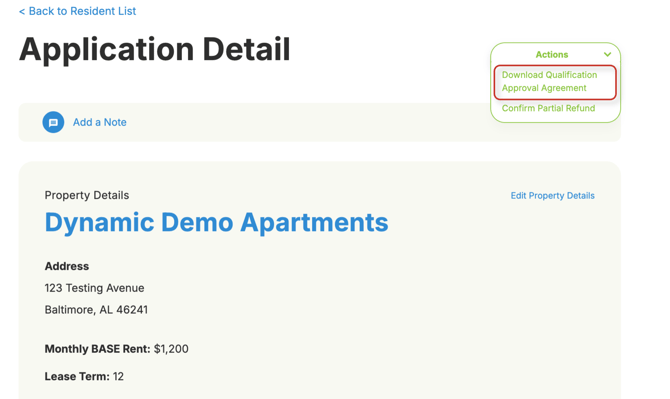
Here's how to find and download renter agreements in OneApp:
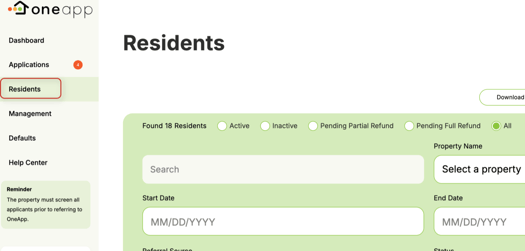
- Select the resident either through the Residents or Applications tab using search and clicking on their app ID

- Select Download Qualification Approval Agreement from the actions drop-down list, which will take you to a page where the full agreement can be downloaded and saved