
If you use both Yardi and OneApp, we are able to integrate the tools to streamline the referral process by pulling the applicant's information from Yardi into OneApp. This not only speeds up the referral, but ensures better consistency and accuracy.
The Referral Process
Property Referring Applicant
-
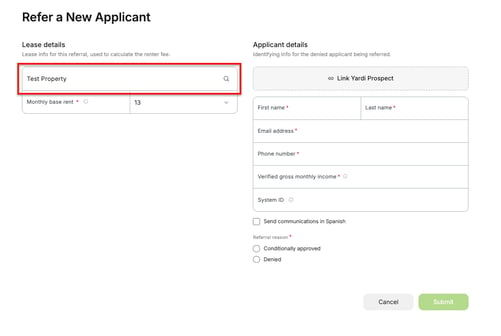
When the property with this integration enabled goes to refer an applicant to OneApp, they must first select a property.
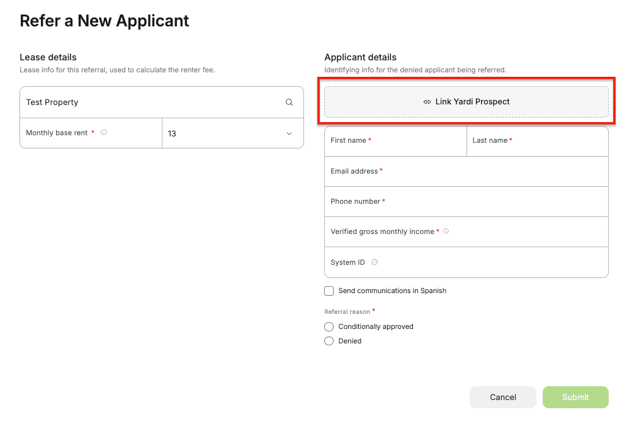
- After selecting the property, click on the "Link Yardi Prospect" field, a modal window will appear allowing the referrer to start typing the applicant's name and seeing a list of results.
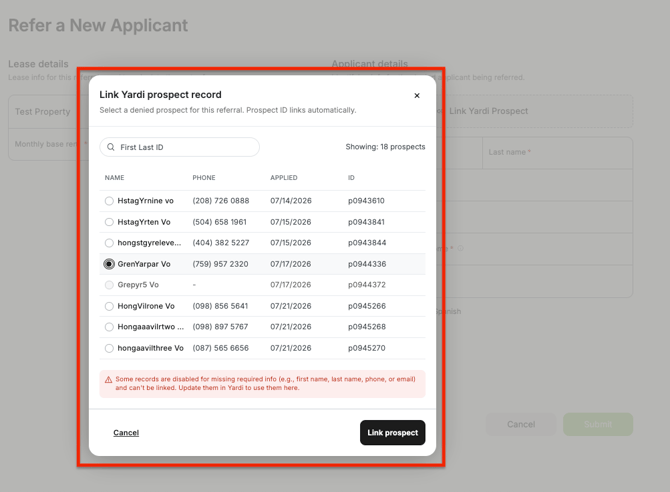
Note: You can only update prospect details within your Yardi platform. - Once the correct applicant is found, select the radial button next to the name and click “Link prospect”. This will pull the applicant’s name, email, phone number, and system ID from their Yardi profile into the OneApp profile.
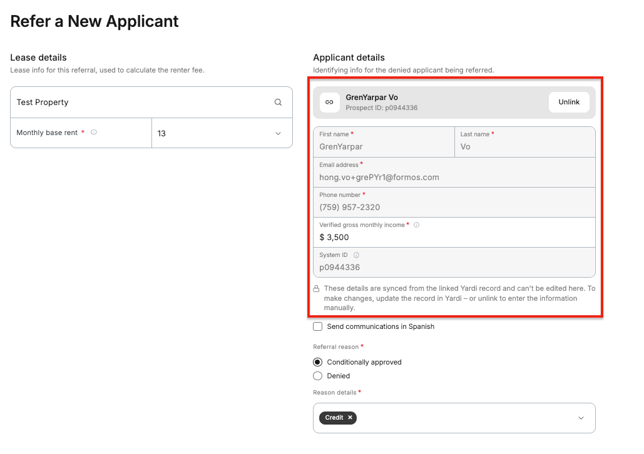
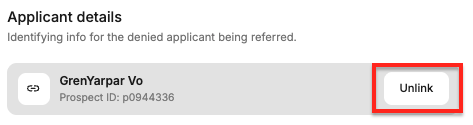
- The applicant information can be unlinked by clicking the “Unlink” button at the top of their details.
- Once all the information (including the Monthly Base Rent, Lease Duration, Verified Monthly Household Income, Referral Reason, and whether to send the referral in Spanish–which still need to be manually entered) is complete, click the “Submit” button to send the OneApp application to the applicant.
Not integrated? If you are interested in setting this integration up, please reach out to your Partner Success Manager or contacting Customer Support at support@oneapp.rentals.