
The Performance Dashboard provides you with insights into your property's success with OneApp. This dashboard tracks key performance metrics, including incremental revenue, default reimbursements, payouts, and conversion performance.
See the full overview below, but if videos are more your thing, here's a quick walkthrough.
Accessing the Dashboard
-
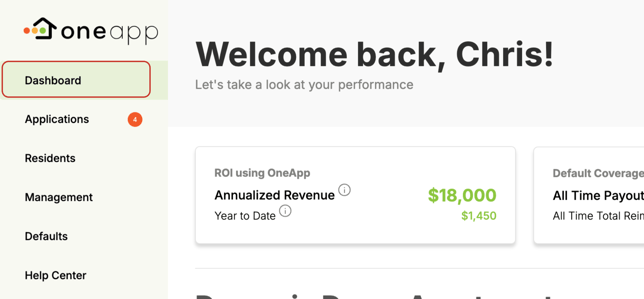
In your OneApp account, click the Dashboard tab on the left navigation bar.
🏆 Pro Tip: Get key performance insights right in your inbox, so you can stay informed with as little effort as possible. Learn more about automated reports.
Key Metrics
ROI Using OneApp
- Annualized Revenue: Projected revenue for all approval agreements that are currently active, excluding default reimbursements.
- Year-to-Date: Revenue generated for all approval agreements issued year to date.
Default Reimbursement Coverage

- All Time Payouts: Default reimbursements provided by OneApp.
- All Time Total Reimbursements: The number of default reimbursements completed.
Your Success

- All Time Revenue: Revenue generated for all approval agreements, excluding default reimbursements.
- Total Successful Leases: Leases with Approval Agreements that have been completed successfully.
Performance Reports
Approval Agreement Conversion Performance
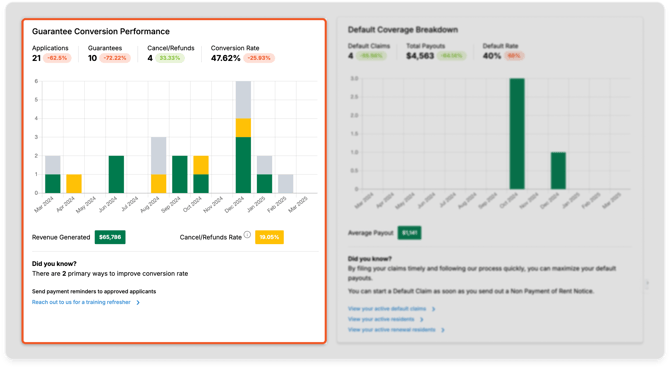
- Applications Submitted: Number of referrals who submitted applications.
- Approval Agreements Issued: Number of approval agreements issued to applicants you've referred.
- Cancellations / Refunds: Number of applications that were cancelled and/or refunded.
- Conversion Rate: Percentage of applicants you referred who converted into residents.
- Revenue Generated: Total revenue driven by OneApp for the property.
Default Reimbursement Breakdown
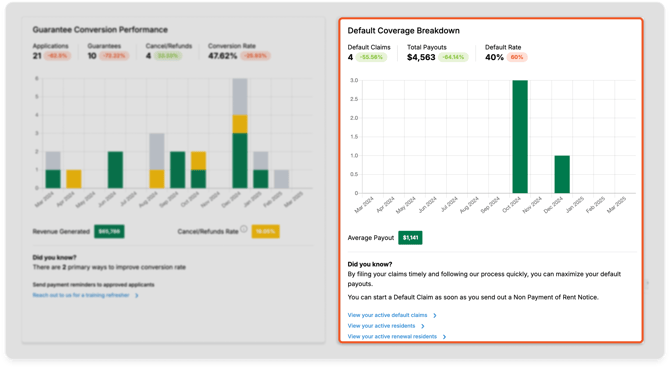
- Default Claims: Number of default reimbursements submitted and paid.
- Total Payouts: Amount of default protection paid.
- Default Rate: Percentage of OneApp residents who defaulted.
Download the Dashboard
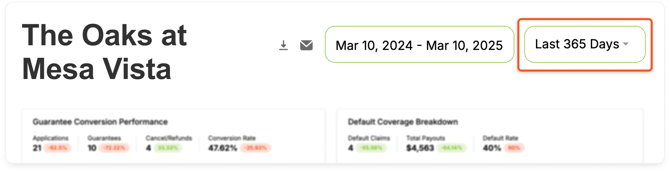
- Use the date selector to select specific start and end dates for your reports.
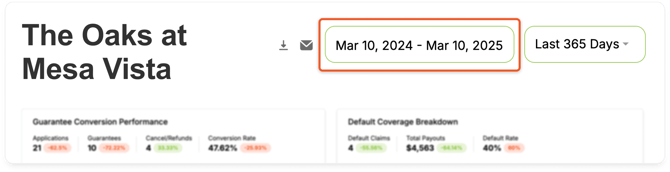
- You can also use the dropdown to select a predefined reporting period:
- Last 365 Days: Performance from today's date for the last 365 days.
- YTD: Performance for the current year to date.
- Last Quarter: Performance for the previous quarter.
- MTD: Performance for the current month to date.
- All Time: Performance for the duration of the partnership.
- Click the download icon.

Share the Dashboard
- Select the specific time period for the reports you want to share.
- Click the email icon.

- In the pop-up window, enter the email address you'd like to send the dashboard to.
- Click Send.